How to build Test Strategy for Mobile Applications
How do we build a mobile test strategy that covers device-specific conditions, device selection, and tool selection — for this app, not for a generic slide deck?
Mobile is not “web but smaller.” Interruptions, OS fragmentation, store gates, and fat fingers change what YOU test, automate, and ship.
Why test strategy matters
A test strategy creates shared understanding of targets, approach, tools, and timing. It clarifies major challenges before the testing squeeze arrives the week before launch.
Anti-pattern: Copy a template from another project, ask colleagues what they used, search online for “mobile test plan PDF.” Those inputs help — they do not replace your context.
Do you see the problem? Your app has specific users, risks, and architecture. A fintech RN app and a internal warehouse scanner app should not share the same device matrix.
Start with questions — not tools
Before Appium vs Detox (shift-left mobile E2E), answer:
- Who depends on quality — product, support, compliance, stores?
- RACI for critical processes?
- Definition of Done — includes device classes, crash-free rate?
- CI/CD guidelines for shift left?
- Release frequency — weekly store drops vs monthly?
- Testing bottlenecks — real devices, Apple review, data?
- Legal requirements — accessibility, privacy, regional rules?
- Failure points — payments, offline, auth?
- Cost if quality slips — brand, revenue, safety?
- Tech architecture — native, hybrid, RN, PWA?
RACI matrix
RACI lists stakeholders and involvement per task — reduces confusion and risk.
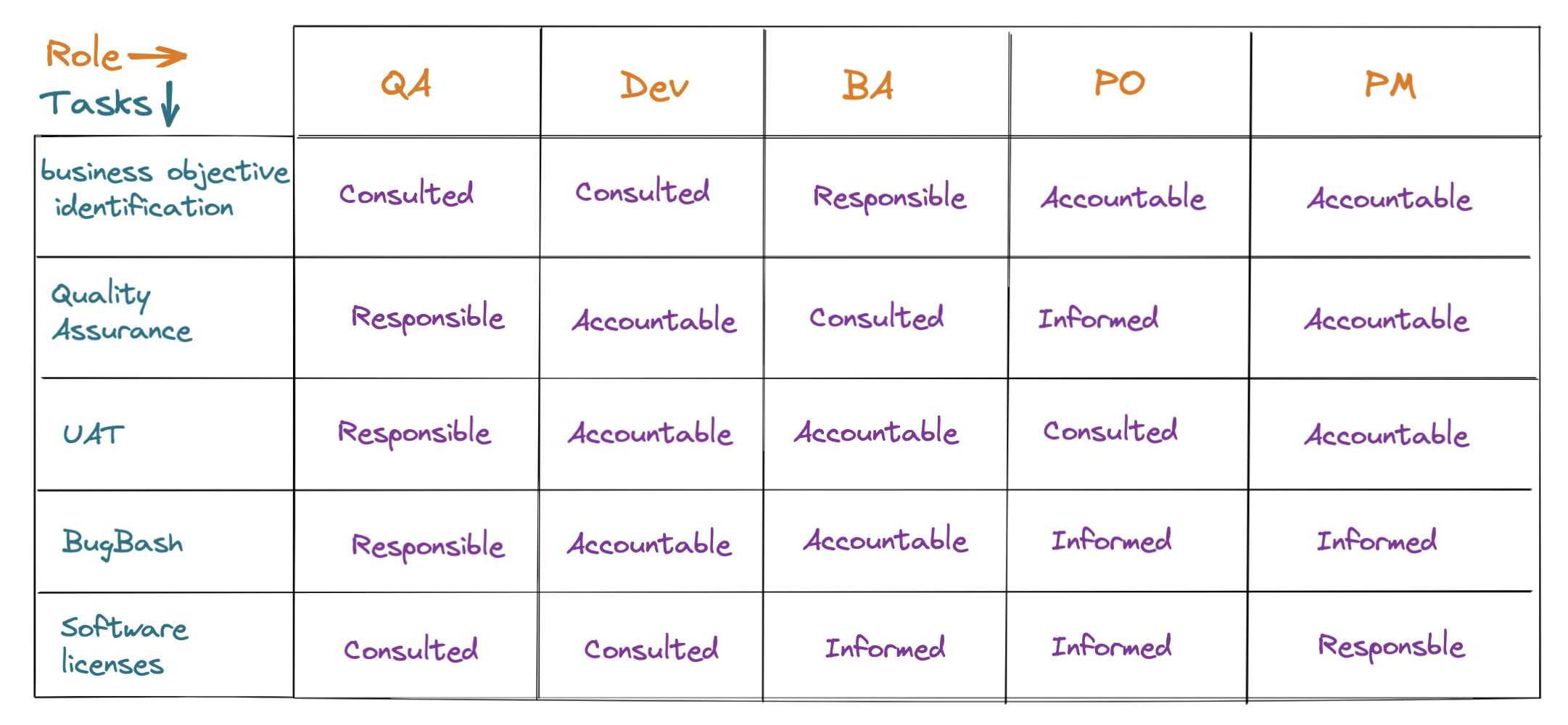
- Responsible — does the work (QA, dev, architect)
- Accountable — owns correct completion (often product or sponsor)
- Consulted — two-way input (SMEs, legal)
- Informed — one-way updates (support, ops)
Worked example — device lab budget
| QA Lead | Eng Manager | Product | Finance | |
|---|---|---|---|---|
| Define device matrix | R | A | C | I |
| Approve cloud device spend | C | C | I | A |
Clear Accountable for spend avoids “everyone assumed someone else ordered the Pixel.”
Business priorities
- What keeps the client awake at night — crashes, checkout, compliance?
- Implicit users — power users on old OS vs new adopters?
- Risk appetite in production — hotfix tolerance, rollback plan?
Scenario: A health app prioritizes data privacy and offline vitals. YOU weight security and interruption testing over cosmetic UI on every skin. Strategy documents that so crunch week does not become random clicking.
Identify your app type
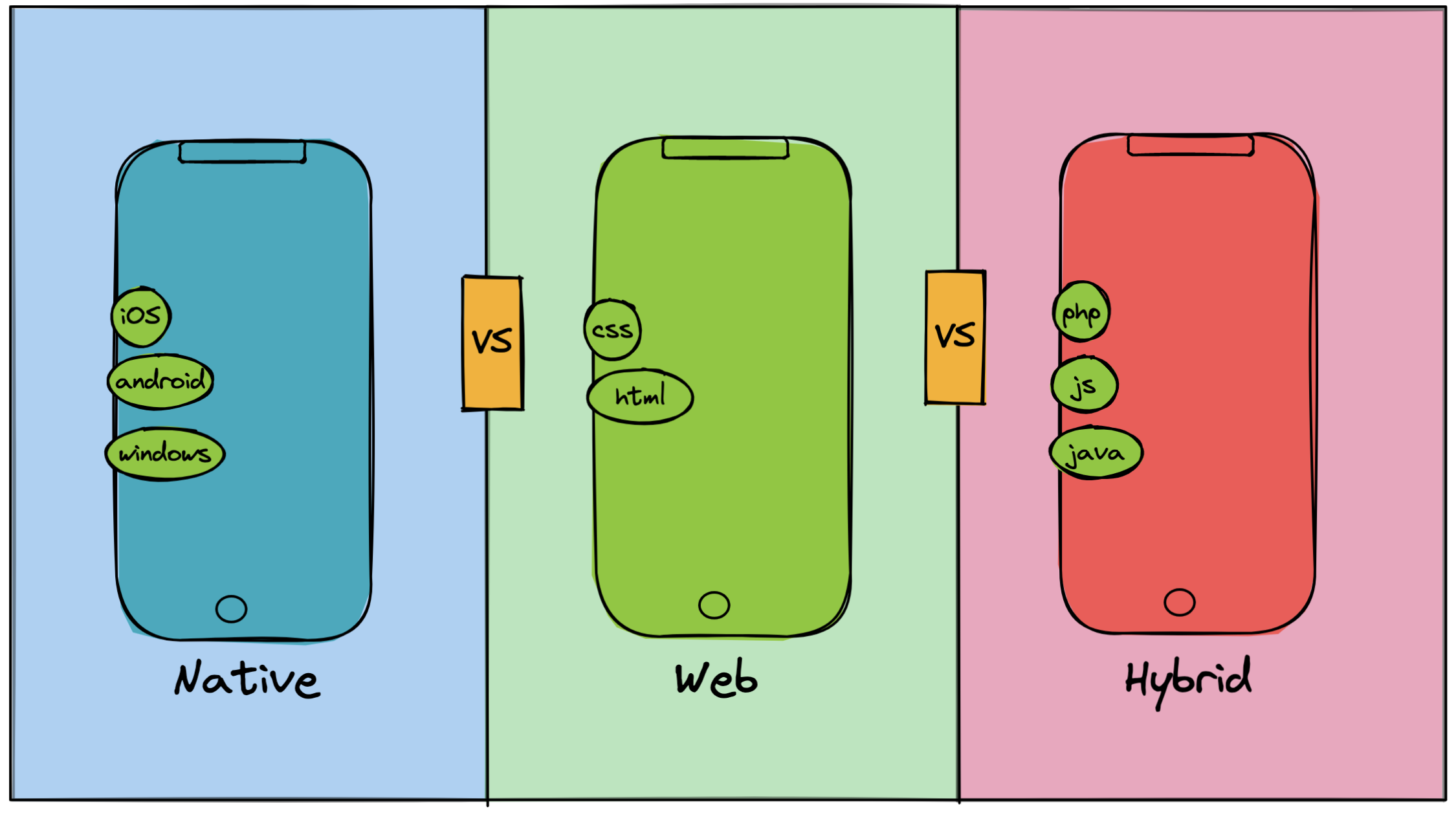
- Native — store-distributed, full device APIs, Swift/Kotlin or RN native modules
- Web mobile — browser, server-side logic
- Hybrid — WebView wrapper with some native bridges
- PWA — web with app-shell UX
Strategy diverges here: store submission, background modes, and push differ for native vs PWA.
Target platform and device selection
Consider brand, OS variants, minimum OS, and version-specific behavior (permissions, biometrics, notch layouts).
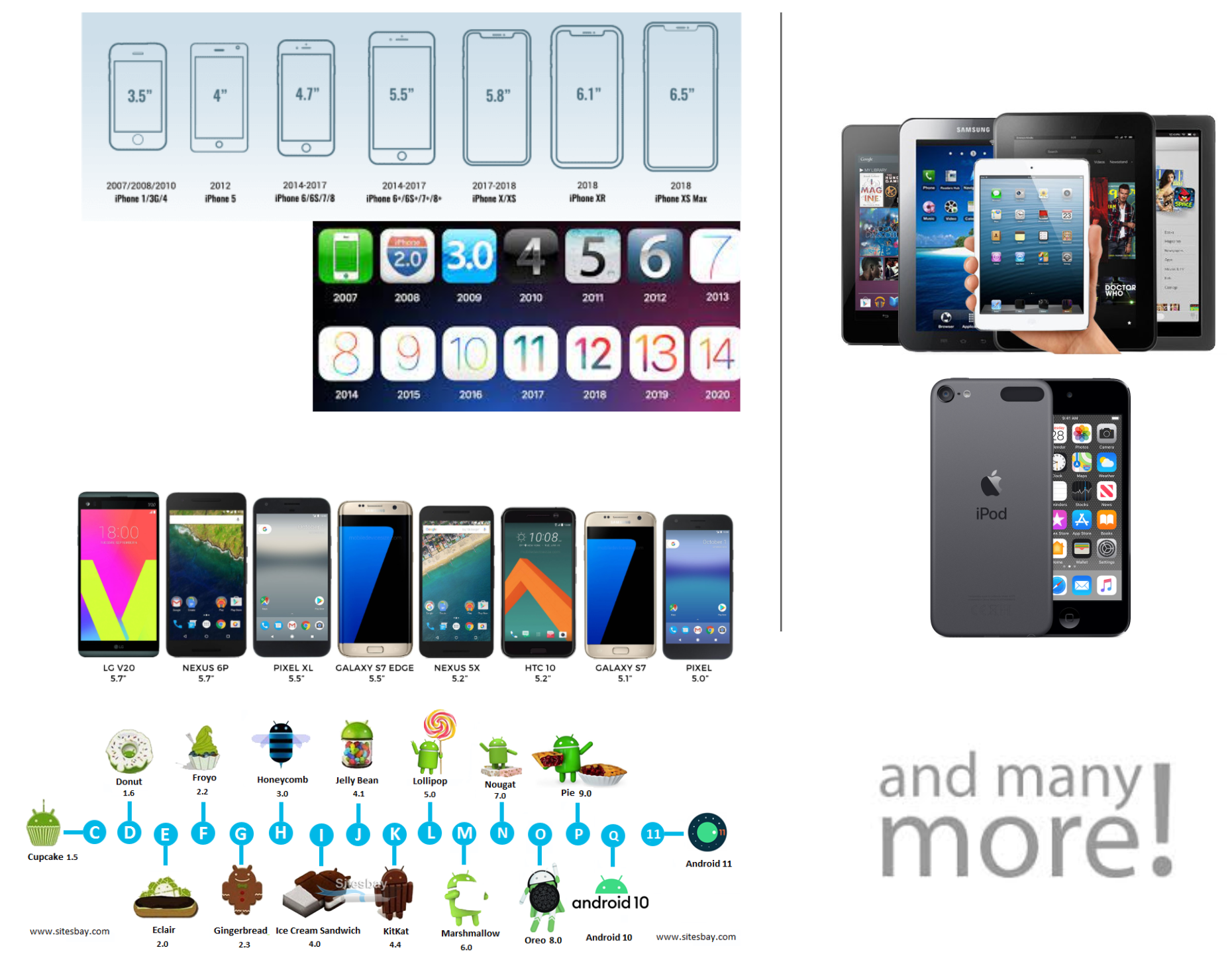
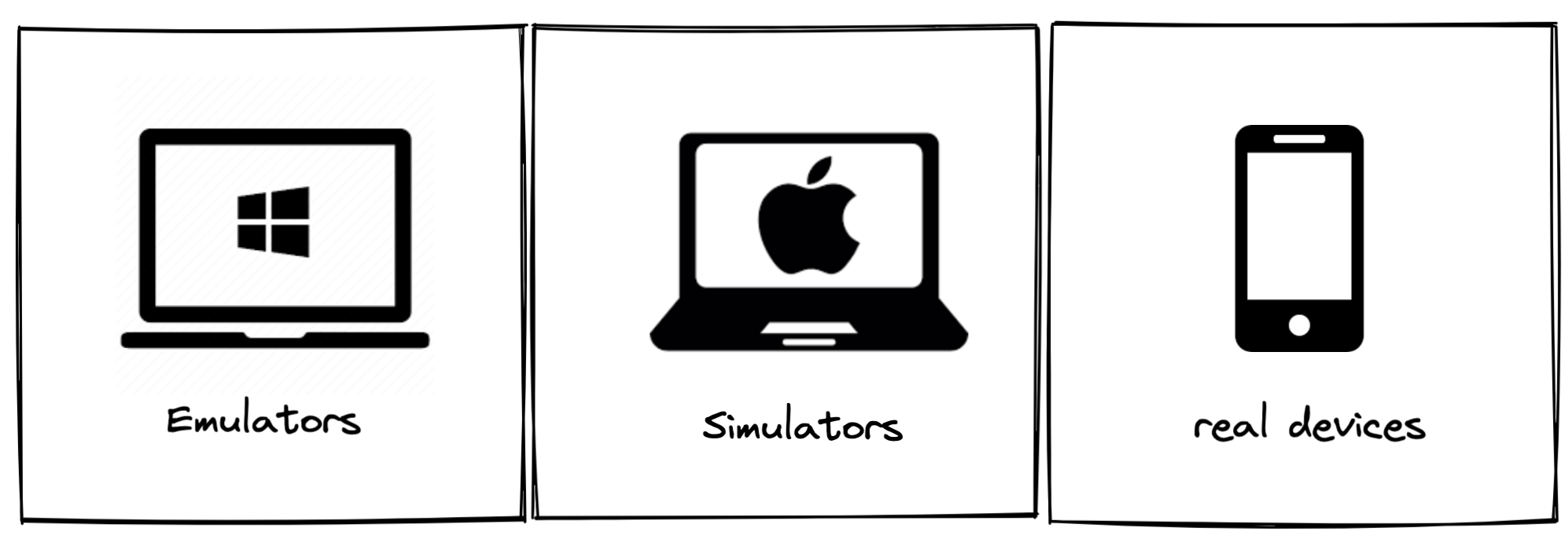
- Hardware/software matrix — not “all iPhones”
- Virtual vs real vs cloud — balance cost and fidelity
- Fat finger issues — tap targets, gestures, keyboards
Worked example — device matrix (simplified)
| Tier | Devices | Why |
|---|---|---|
| P0 smoke | iPhone 15 / Pixel 8 on latest OS | Majority traffic |
| P1 regression | iPhone 12, SE; Samsung A-series; one tablet | Form factor + mid OS |
| P2 spot | Oldest supported OS on one device each | Upgrade path, legacy APIs |
| Manual only | Foldable, low-RAM budget device | Known fragile areas |
Automate P0 on every commit; P1 nightly; P2 before release. Document in strategy so automation does not try to run 40 devices per PR.
Custom settings and interruptions
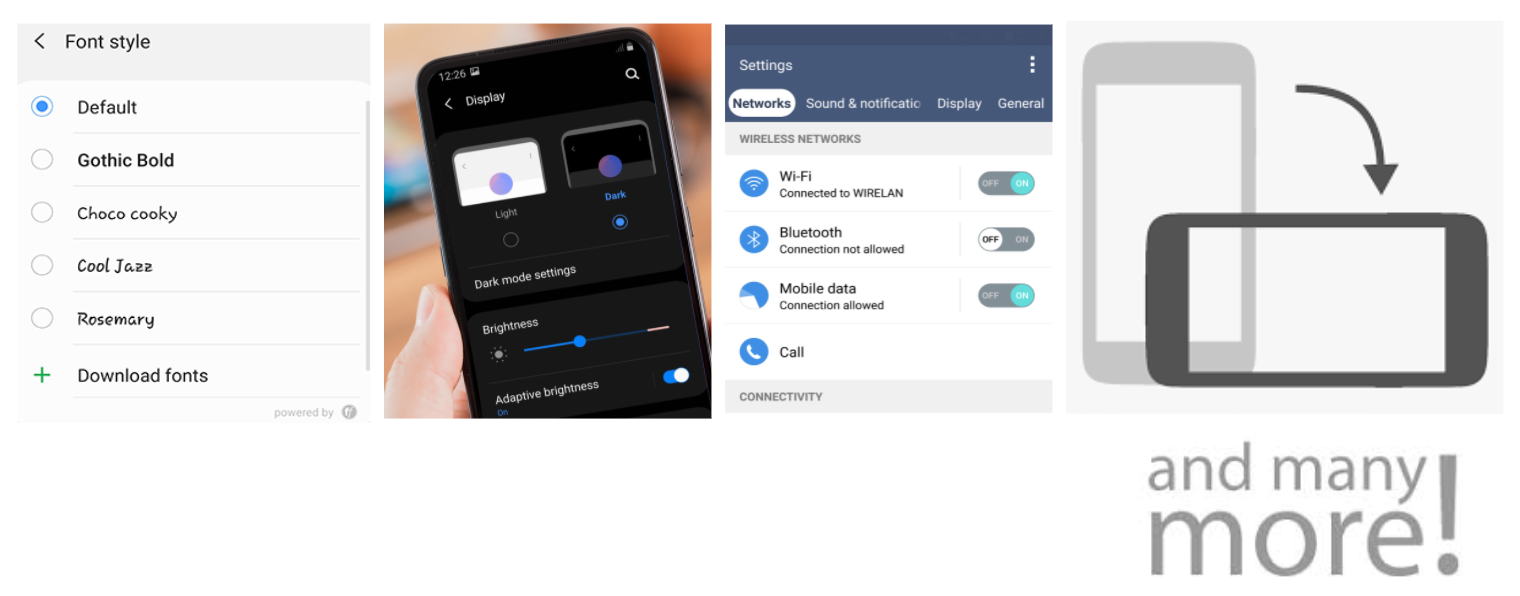
Custom settings — font scale, dark mode, low power, locale, VPN, date formats — sit outside business logic but break apps daily.
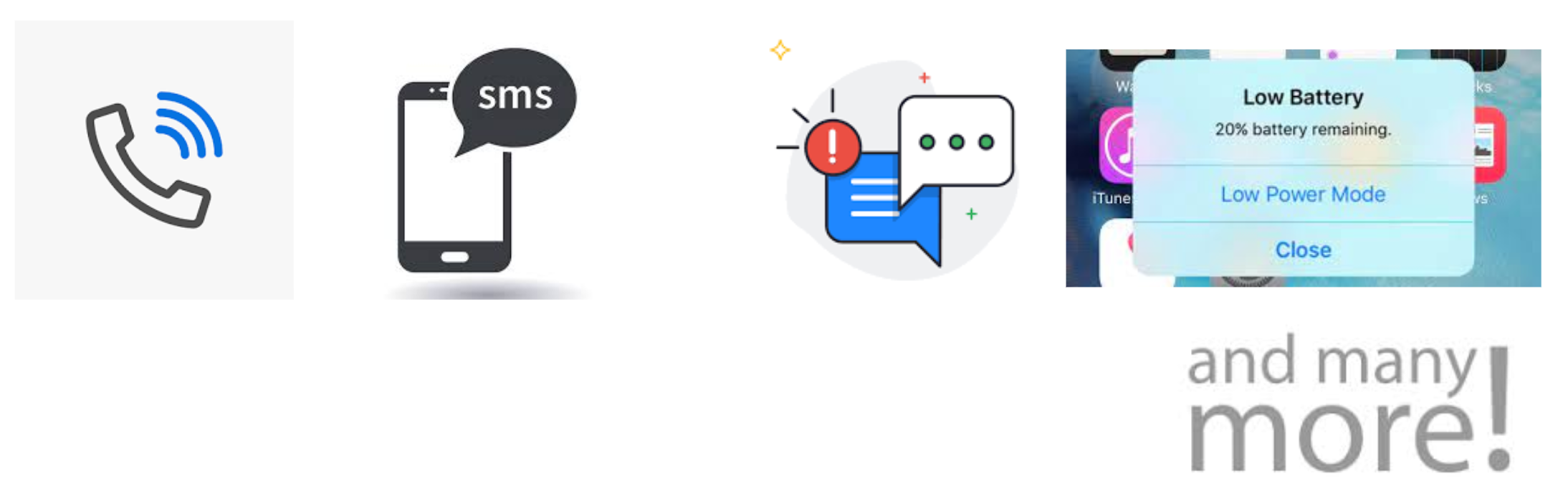
Interruptions — calls, SMS, notifications, backgrounding, low battery — must not corrupt state.
These areas stay manual-heavy or scripted on real devices even when unit tests pass.
Specific conditions checklist
Device
- Memory, power, network (2G/3G/offline/flaky)
- Backgrounding and app switching
- Storage pressure, camera, location, downloads
Application
- Install, uninstall, update, backward compatibility
- Cold/warm start, persisted data, migrations
Tag each item automate, manual, or both in YOUR strategy doc.
Testing types
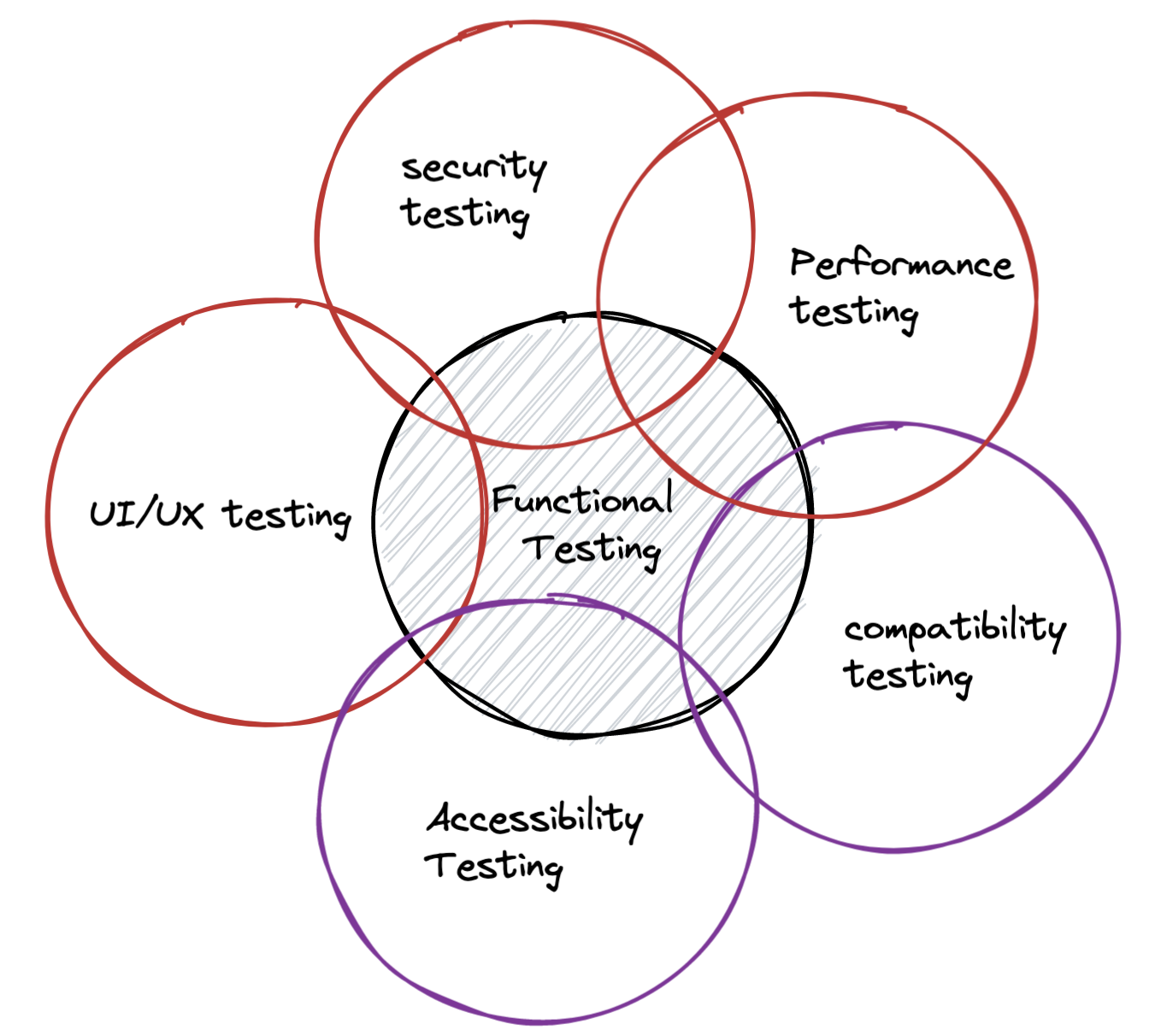
Prioritize by app and risk — not every type every sprint.
Path to production
Mobile CI/CD often includes artefact builds, signing, store certification, and staged rollouts — not only git push.
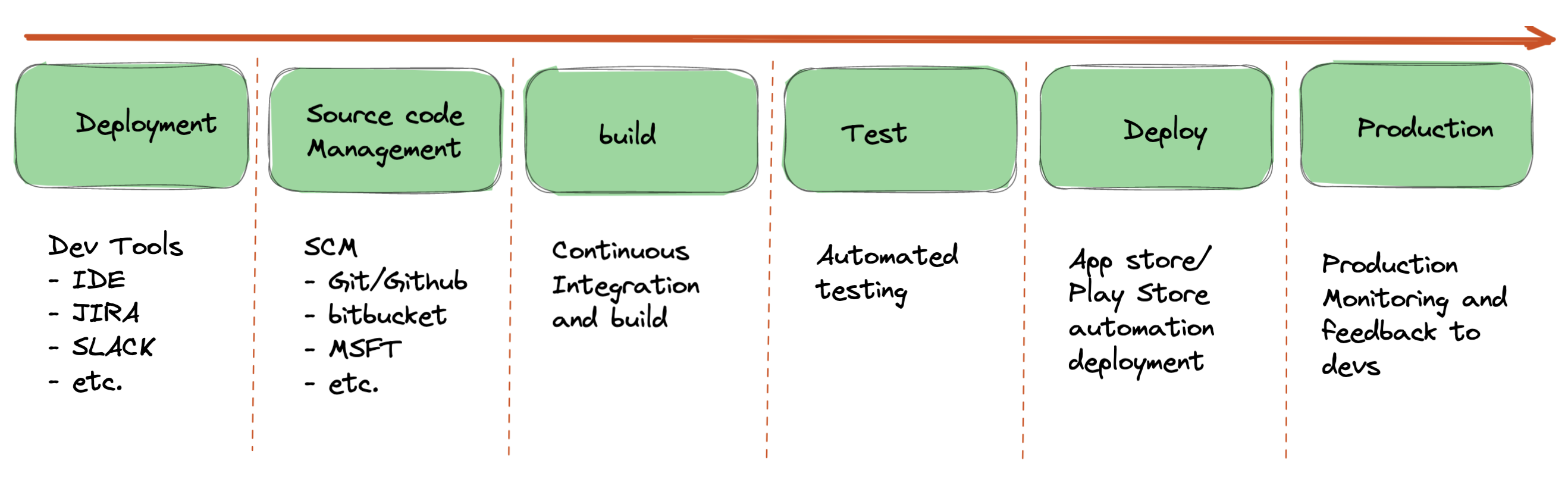
Map quality gates: unit on PR, API in merge, device smoke on nightly, full regression pre-submission, beta channel before prod %.
Automation — all layers, right proportions
What to automate? Yes — across layers, not only UI.
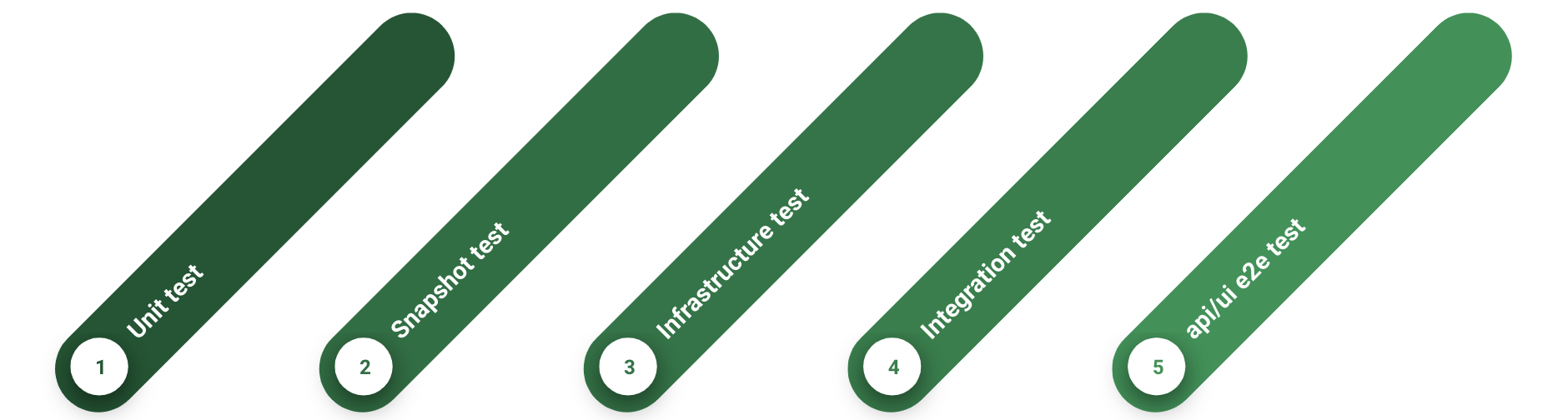
Take advantage of lower-level tests (pyramid):
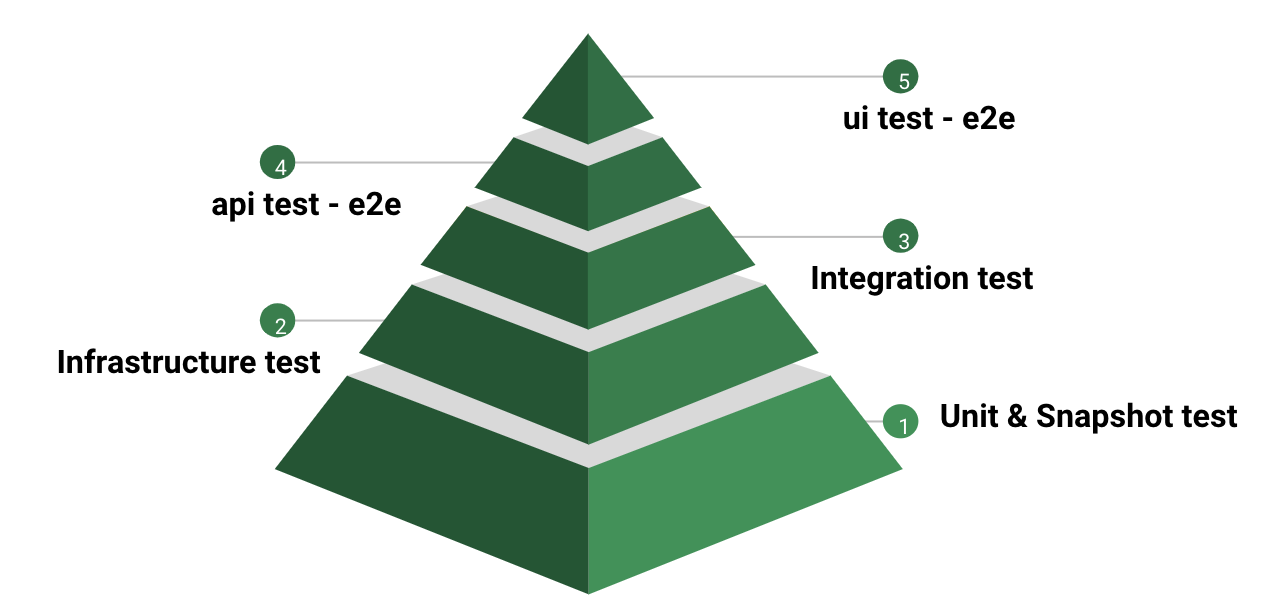
Decide % per layer — shape stays pyramidal even if exact numbers differ by stack.
Tool and framework selection
Many tools, similar marketing. Decision framework:

- List options (Detox, Appium, Maestro, native stacks, cloud runners)
- Cross-platform vs native trade-offs
- Official docs and proof-of-concept on your app — one flow, both OSes
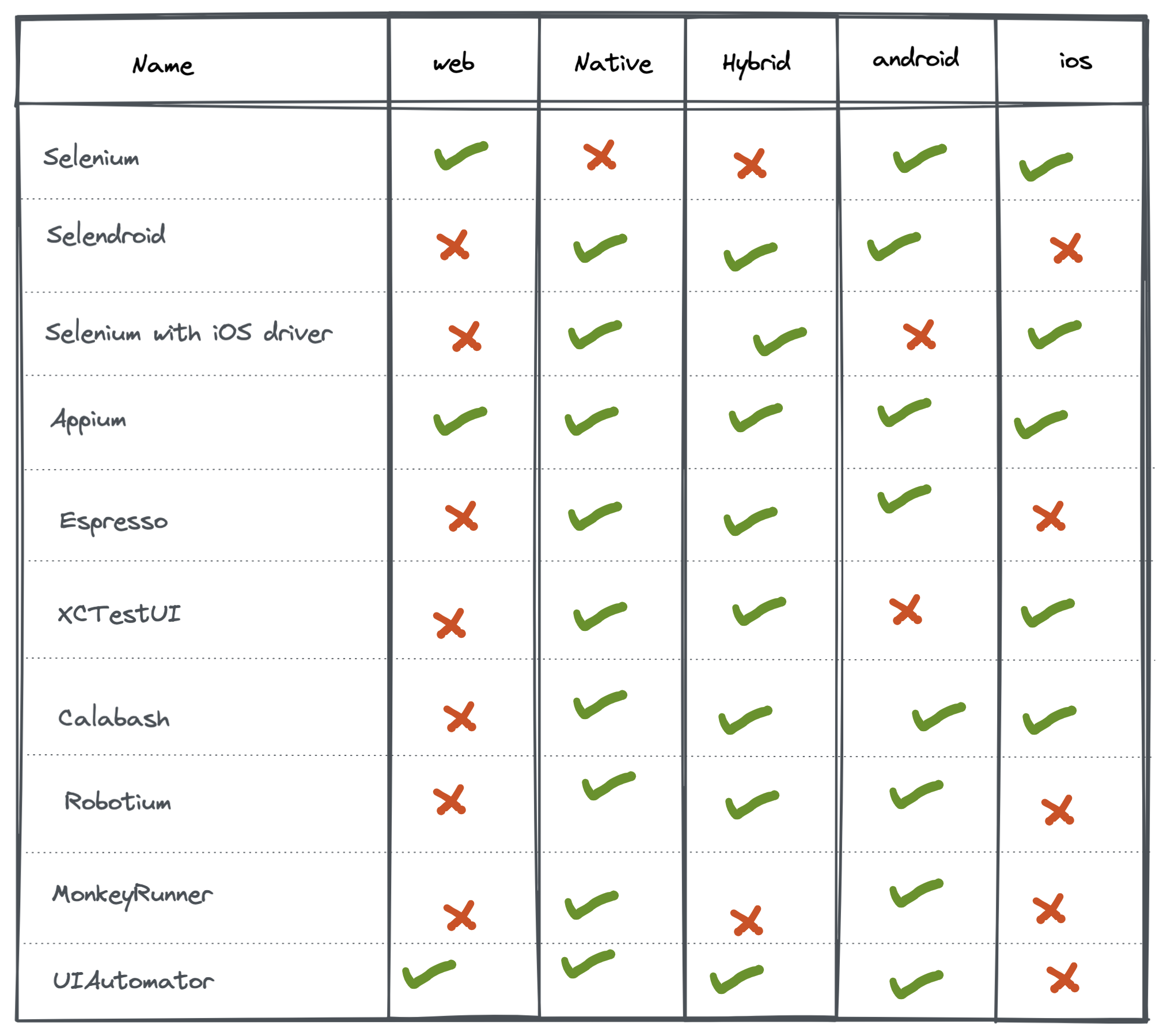
See also The Paradox of choice — Automation tool selection for Pugh matrix detail.
Pugh matrix comparison
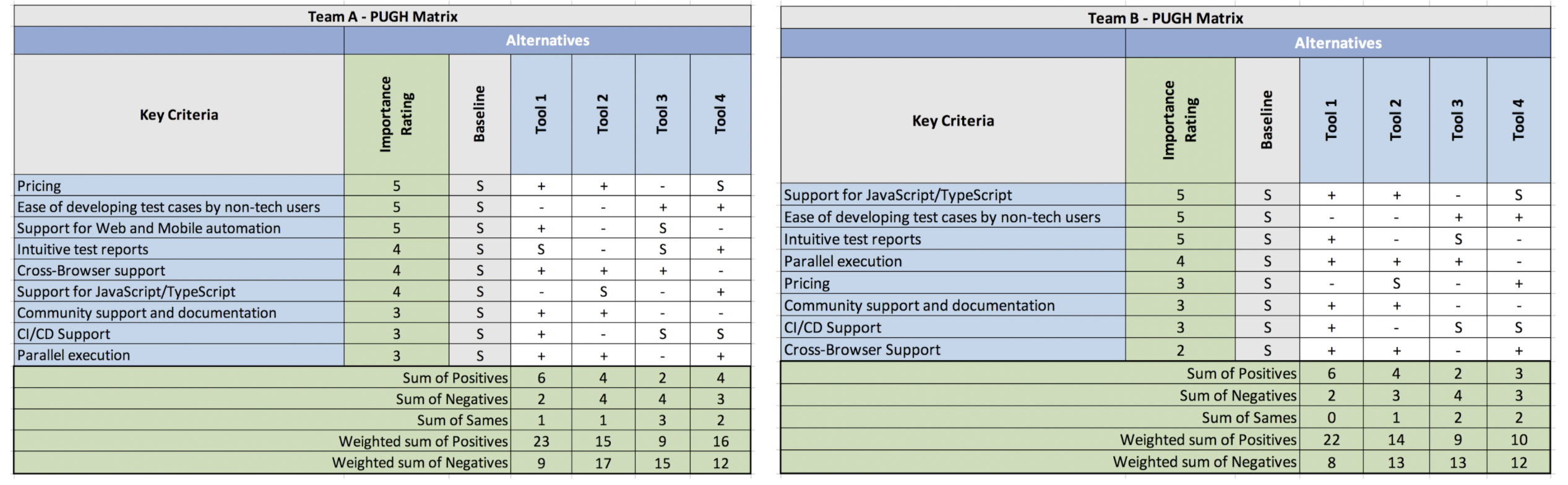
Steps:
- Define evaluation criteria and weights
- List alternatives; pick a baseline (often current state)
- Rate each + / s / − vs baseline
- Total and pick best fit; consider hybrid
Read more: Pugh matrix (iSixSigma)
Paradox of choice
Choices explode because of open-source tools, team preferences, and client constraints.
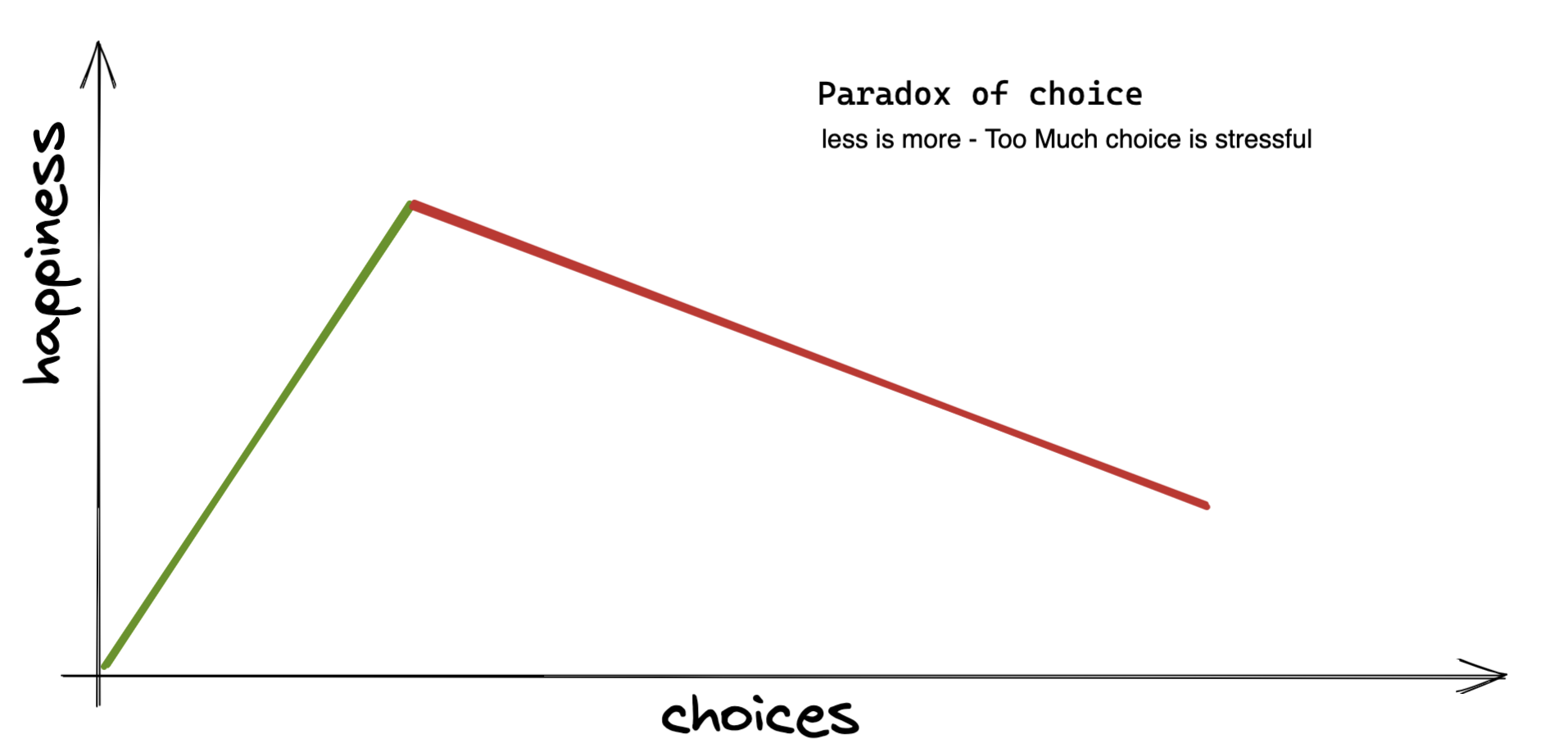
Strategy tip: Time-box evaluation — two-week spike, one app flow, score with Pugh, decide. Perfect tool does not exist; good enough with team buy-in does.
Risk-based priority — what to test first
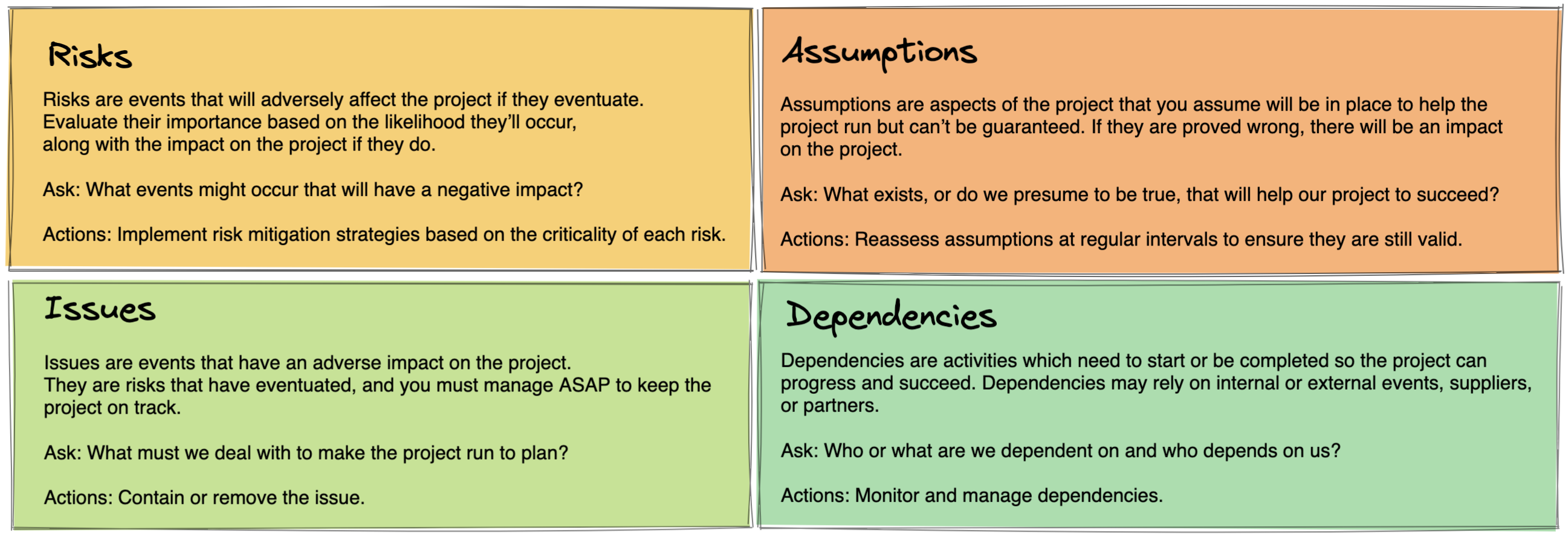
- Business impact × probability of failure = priority
- Highest impact + highest failure probability → automate and test first
- When schedule slips, cut low on the matrix — not random scope drops
Worked example — risk scoring
| Feature | Business impact (1-5) | Failure likelihood (1-5) | Score |
|---|---|---|---|
| Login / SSO | 5 | 3 | 15 |
| Push notifications | 3 | 4 | 12 |
| Profile avatar crop | 2 | 2 | 4 |
Login gets P0 automation and real-device smoke; avatar crop might be manual once per release.
Manual exploratory testing
Never drop exploratory testing. Automation finds what YOU predicted; exploration finds what users invent.
Pair with defect prevention — bug bash before store submission catches interruption and settings bugs scripts miss.
Strategy on one page — template for YOUR team
- App type and min OS
- RACI for quality decisions
- Device tiers P0 / P1 / P2
- Pyramid split (unit / API / device / manual)
- Tool choice and spike outcome
- Release path and gate per stage
- Risk matrix top ten features
Mobile strategy is a living doc — revisit when OS majors ship or you enter a new market.
What is the one device or OS version YOUR users complain about most? That belongs in P0 tomorrow.
Happy Testing :)
Comments
Comments are hosted by Disqus. The free tier may show sponsored content.